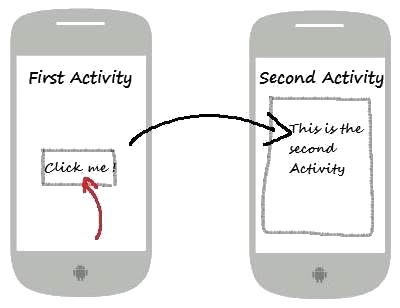
- Activities are a fundamental application component
- representing a single screen with a user interface and able to be presented in several modes:
full-screen
- floating
- embedded - multi-window`
- An Activity is the main component that allows the interaction between the user and the app
- can be started by:
- other Activities
- apps
- system events
- Apart from managing and handling the application's user interface and interaction
- Activities are also responsible for managing the app's lifecycle.
- Activities are Interactive
<manifest xmlns:android="http://schemas.android.com/apk/res/android"
    package="com.example.myapp">

    <application
        android:allowBackup="true"
        android:icon="@mipmap/ic_launcher"
        android:label="@string/app_name"
        android:roundIcon="@mipmap/ic_launcher_round"
        android:supportsRtl="true"
        android:theme="@style/AppTheme">

        <!-- Declare your Activity here -->
        <activity android:name=".MainActivity">
            <intent-filter>
                <action android:name="android.intent.action.MAIN" />

                <category android:name="android.intent.category.LAUNCHER" />
            </intent-filter>
        </activity>

        <!-- Declare other Activities if needed -->
        <!-- <activity android:name=".AnotherActivity" /> -->

    </application>

</manifest>
- In the above snippet
- the
android.intent.action.MAIN action indicates that the MainActivity is the entry point of the app
- This means it is the first Activity launched when the app starts
- This action is typically used for the home screen of an app
- While the activity name
MainActivity is usually used as an entry point in Android applications - Identifying the entry point of an application is very important during penetration testing since testers can better understand the application's:
- flow
- functionality
- overall structure
- discovery of possible attack surfaces
- eventually identification of potential vulnerabilities and weaknesses
- The second property
- android.intent.category.LAUNCHER tells the Android system that this Activity should be listed in the system's app launcher - So when the user taps on the application's icon in the launcher
- this Activity should be started.