Android - Services
- A Service is an Android application component that performs long-running operations in the background without providing a user interface
- Services can be used for tasks like:
- downloading files
- playing music
- or communicating with a remote server
- can continue working even after the user has left the app
Foreground Service
- Foreground services perform operations that require user attention
- They will provide users with notifications and continue running even when the app has no interaction or is minimized
- Foreground services must display notifications to inform the users that the service is running
- Examples of such services include media players and navigation apps
- A foreground service can be started by calling the
startService()method.
Background Service
- Background services perform operations that do not require user interaction
- Starting with Android API level 26 (Android 8.0 Oreo) background services are no longer allowed to run unless the application is in the foreground
- This change was introduced to conserve system resources and optimize battery life.
Bound Service
- Bound services allow other application components to bind to them by calling the
bindService()method - They provide a client-server interface that enables components—even across different processes—to interact with the service using Inter Process Communication (IPC).
- Services extend the
Serviceclass.
public class ExampleService extends Service {
    int startMode;       // indicates how to behave if the service is killed
    IBinder binder;      // interface for clients that bind
    boolean allowRebind; // indicates whether onRebind should be used
    ...
    }
}
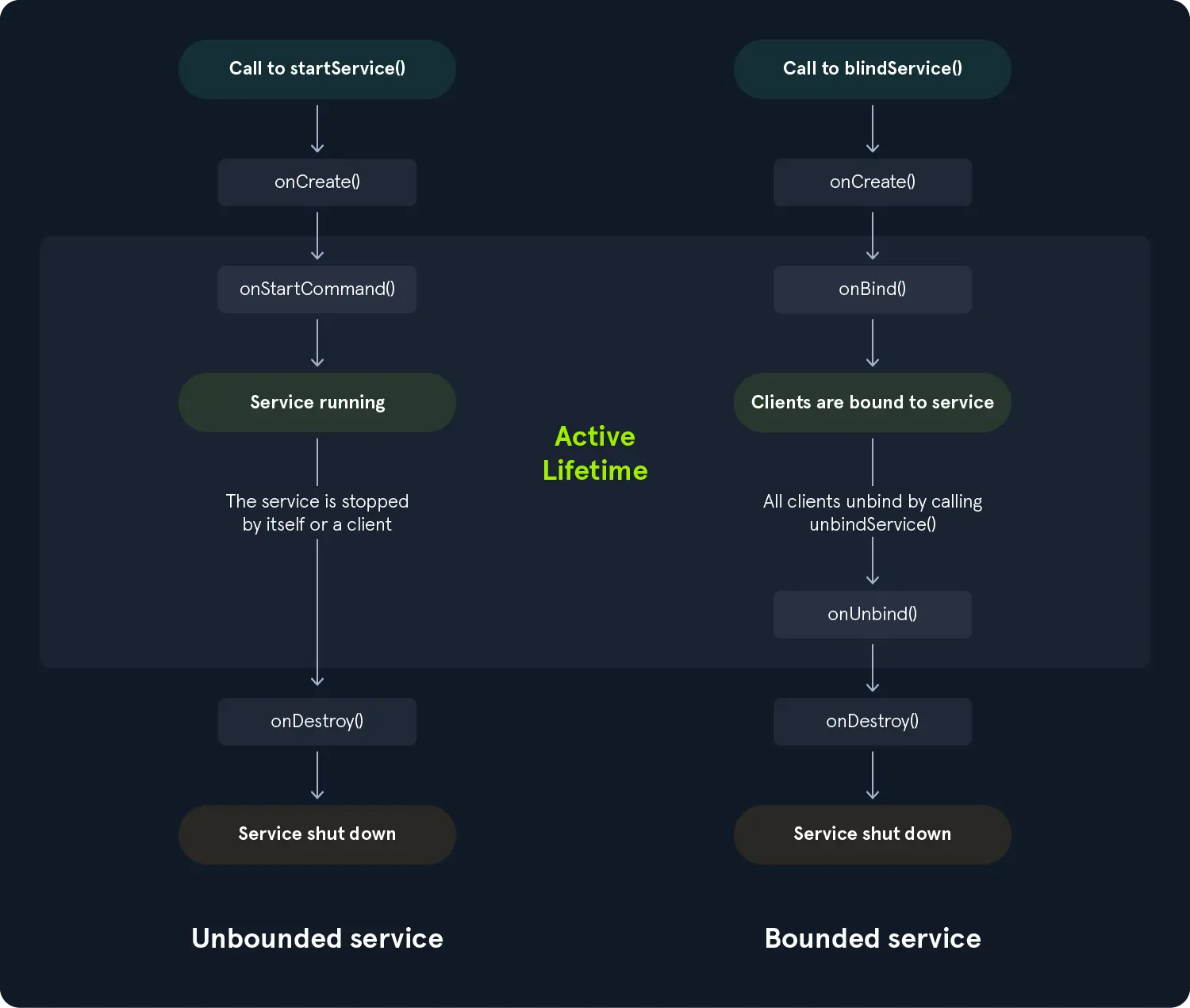
-
Similar to activities
- services have lifecycle callback methods that must be implemented to monitor changes in their state
-
On the left
- the service is created using
startService()
- the service is created using
-
while on the right
- the service is created using
bindService()
- the service is created using
-
Services must be declared in the AndroidManifest.xml file.
<manifest ...>
    <application ...>
        <service android:name=".MyForegroundService"/>
        <service android:name=".MyBackgroundService"/>
    </application>
</manifest>