nmap - Full-Open Scan
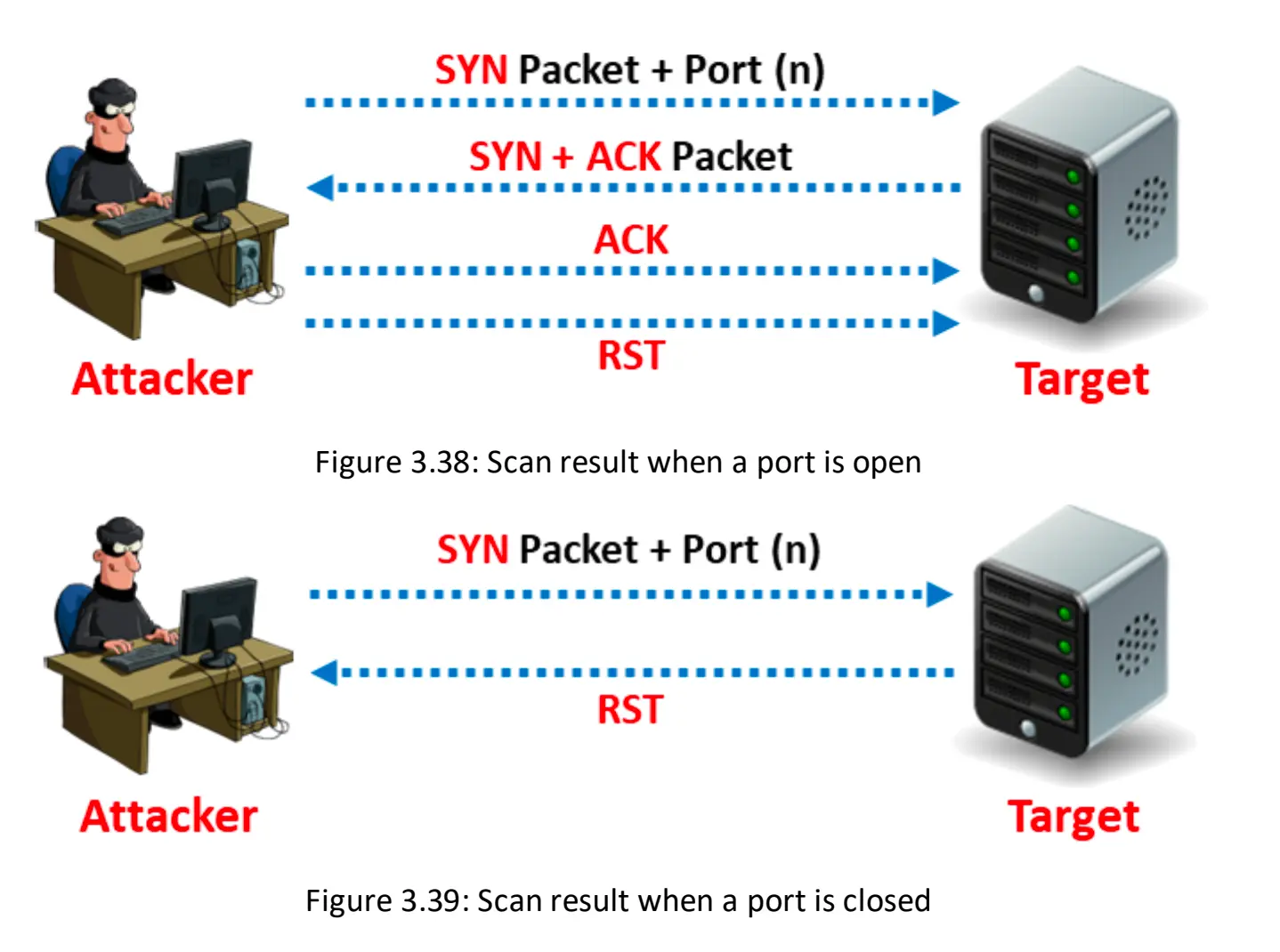
The TCP Connect/Full-Open Scan is a fundamental and reliable method of TCP port scanning used to identify open ports and services on a target machine. This technique is categorized as an Open TCP Scanning Method.
Reliability and Privileges
- Reliability: The TCP Connect scan is noted as one of the most reliable forms of TCP scanning.
- System Call: It works by asking the underlying operating system to establish a connection using the standard
connect()system call (part of the Berkeley Sockets API), similar to how web browsers and other network applications connect. - Privileges: This scan mode has the advantage that it does not require superuser privileges (raw packet privileges) because it relies on the operating system's network functions rather than writing raw packets. It is one of the scan types available to unprivileged users.
Performance and Detection
- Speed: Making a separate
connect()call for every targeted port linearly can take a long time over slow connections. Attackers can accelerate the scan by utilizing many sockets in parallel and using non-blocking I/O to set a short time-out period and watch all the sockets simultaneously. - Drawback (Detectability): The primary drawback of this scan type is that it is easily detectable and filterable. Because the full three-way handshake is completed, the logs in the target system will disclose the connection. This method is considered "noisy".
Nmap Implementation
In Nmap, the TCP Connect/Full-Open scan is specified using the -sT option.
- Command Example:
nmap -sT -v <Target IP>. - Default: The TCP Connect scan is the default TCP scan type when SYN scan is not an option (e.g., when the user lacks raw packet privileges or is scanning IPv6 networks).
In contrast to the TCP Connect scan, the Stealth TCP Scanning method (or Half-open Scan) uses only a SYN packet and immediately sends an RST to abruptly reset the connection before the handshake completes, which is done to bypass logging mechanisms.
TCP Three-Way Handshake
Overview
When two parties establish a connection using TCP, they perform a three-way handshake. A three-way handshake starts the connection and exchanges all the parameters needed for the two parties to communicate.
Connection Establishment
TCP uses a three-way handshake to establish a new connection. Initially, the client-side connection is in the closed state and the server-side is in the listening state.
Step 1: SYN (Synchronization)
The client initiates the connection by sending the initial sequence number (ISN) and setting the SYN flag. The client is now in the SYN-SENT state.
Step 2: SYN-ACK (Synchronization-Acknowledgement)
When the server receives this packet, it acknowledges the client sequence number and sends its own ISN with the SYN flag set. The server's state is now SYN-RECEIVED.
Step 3: ACK (Acknowledgement)
On receipt of this packet, the client acknowledges the server sequence number by incrementing it and setting the ACK flag. The client is now in the ESTABLISHED state.
At this point, the two machines have established a session and can communicate. On receiving the client's acknowledgement, the server enters the ESTABLISHED state and sends an acknowledgment, incrementing the client's sequence number.
Connection Termination
The connection can be closed either by using the FIN or RST flag or through a timeout.
RST Flag (Reset)
If the RST flag of a packet is set, the receiving host enters the CLOSED state and frees all resources associated with this connection. This leads to the connection drop of any additional incoming packets.
FIN Flag (Finish)
If the packet is sent with the FIN flag turned on, the receiving host closes the connection because it enters the CLOSE-WAIT state.
Sequence Number Validation
The packets sent by the client are accepted in an established connection if the sequence number is within the range and follows its predecessor. If the sequence number is beyond the range of the acceptable sequence numbers, the receiving host drops the packet and sends an ACK packet using the expected sequence number.
nmap -sT 192.168.64.5 > tcp.connect.txt