Android - Content Provider
-
Supplies data
- From one app to app
-
Share content from one app to another
-
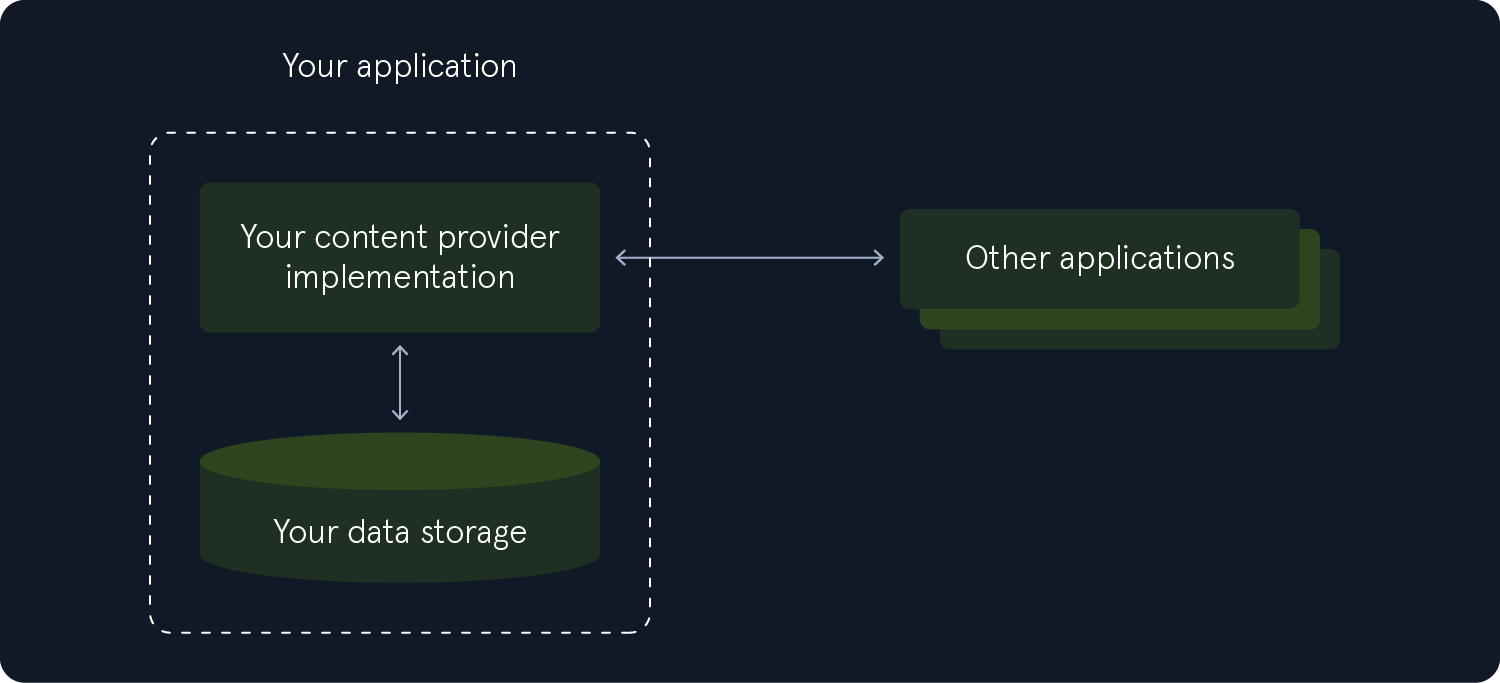
Content Providers can be considered as Application Components and Interprocess Communication (IPC) mechanisms
-
As an IPC mechanism
- Content Providers enable communication between applications by allowing them to:
- access
- modify
- delete data using a consistent interface through the
ContentResolverclass
- Content Providers enable communication between applications by allowing them to:
-
As an application component
- Content Providers are responsible for managing and exposing data structures within or to other apps
-
At the same time
- they allow data sharing between different components in the app or with external apps
-
In other words
- they act as the intermediate between the app and its underlying data storage
-
Content Providers use a standardized API based on the CRUD:
- Create
- Read
- Update
- Delete operations to interact with data
-
The data handled by a Content Provider can be stored in multiple structures
- including local Data/Base/embedded/sqlite databases
- the device's internal or external storage
- or even on a remote server.
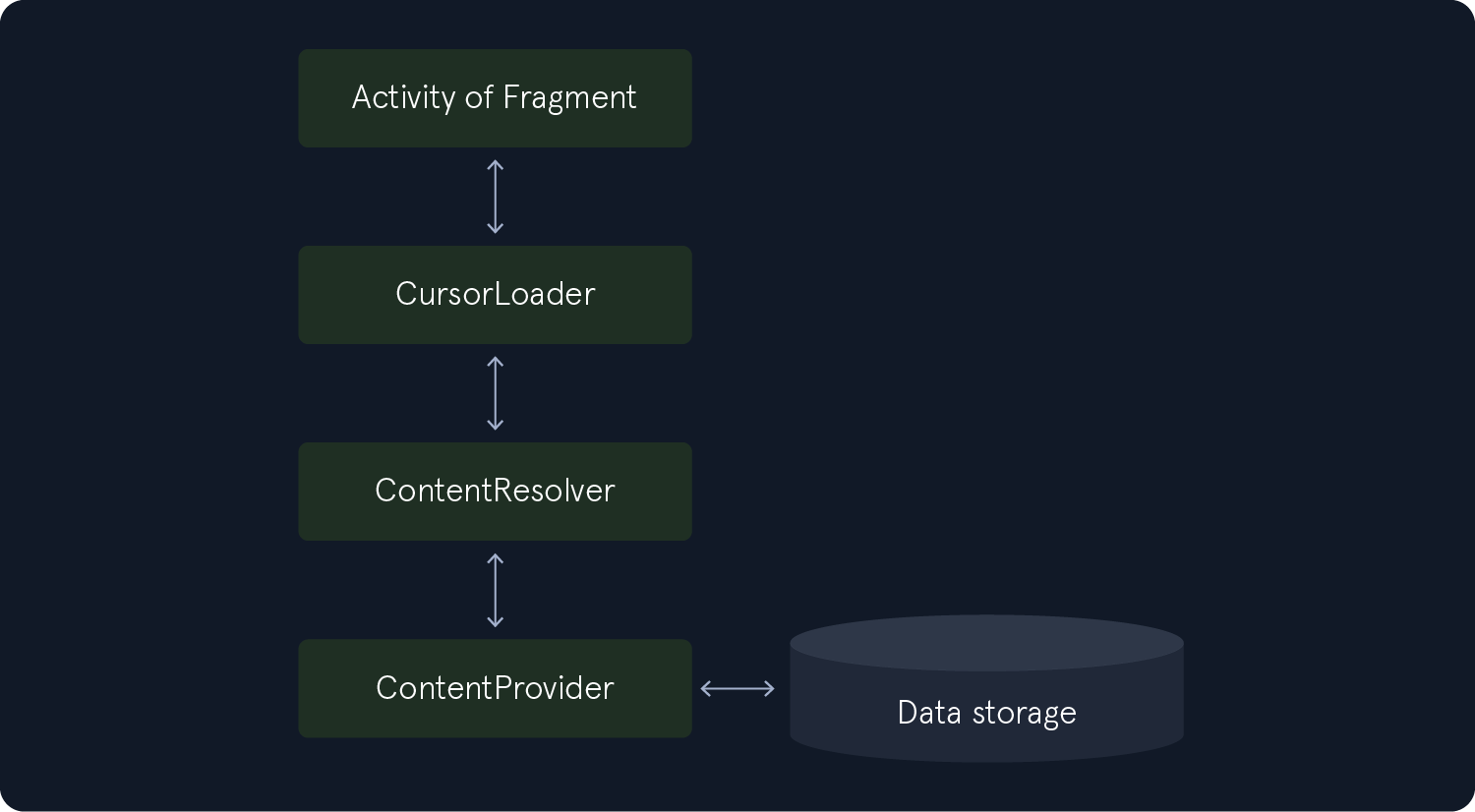
Accessing a ContentProvider is typically done asynchronously in the background using a CursorLoader to execute queries. The Activity or UI component initiates a request to the CursorLoader
- which performs the query by accessing the ContentProvider via the ContentResolver. This approach keeps the UI responsive while executing the query. The process involves multiple components
- as demonstrated in the following image.
The following code snippet retrieves words and their locales from the User Dictionary Provider
- A User Dictionary Provider is a
ContentProviderin Android that manages the user's custom dictionary - To achieve this
- it calls
ContentResolver.query() - which in turn invokes the
ContentProvider.query()method implemented by the User Dictionary Provider.
- it calls
// Queries the user dictionary and returns results
cursor = getContentResolver().query(
    UserDictionary.Words.CONTENT_URI,  // The content URI of the words table
    projection,                        // The columns to return for each row
    selectionClause,                   // Selection criteria
    selectionArgs,                     // Selection criteria
    sortOrder);                        // The sort order for the returned rows
- Content Providers extend the
ContentProviderclass.
public class MyContentProvider extends ContentProvider {
    // Implement required CRUD methods and other logic here
}
- Content Providers, along with the permissions required to access the provider's data, must be declared in the
AndroidManifest.xmlfile.
<manifest ...>
    <application ...>
        <provider
            android:name=".MyContentProvider"
            android:authorities="com.example.myapp.provider"
            android:exported="false" />
    </application>
</manifest>
- Similar to Activities and Broadcast Receivers, Content Providers can be accessed using the Android Debug Bridge (ADB) through the terminal.